
Stop Finding Out About Expired Certifications After It's Already a Problem
Upload your employee certification records and see exactly who's lapsed, who's expiring soon, and who needs action — before your next audit or shift.
Upload
Upload your employee certification spreadsheet in one click.
Review
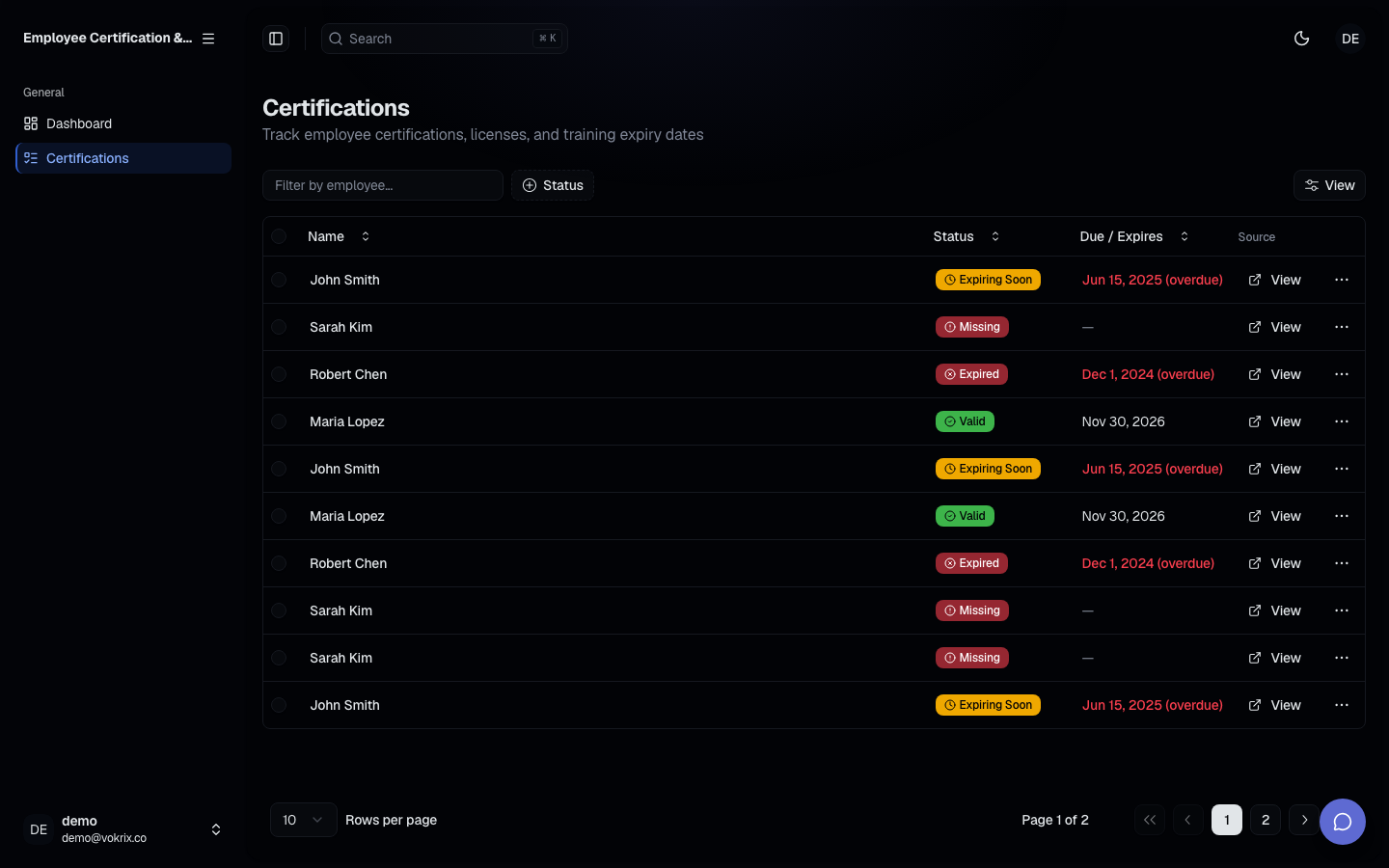
Instantly see expired, expiring, and current certifications in a color-coded table.
Renew
Act on flagged items – send renewal reminders or schedule training.
What slips through the cracks
- ✗A certification lapses quietly over a weekend and you find out during the audit walkthrough
- ✗Someone's required license expires two days before their shift and you're scrambling for coverage at 7am
- ✗The spreadsheet has 14 tabs, 6 months of manual updates, and one formula that broke in March
- ✗Renewal reminders live in one person's calendar — and that person just gave notice
- ✗You send individual renewal emails one by one, then manually update the row, then wonder if you missed anyone
How it works
Upload your records
Export your existing spreadsheet and upload it to the tool. No reformatting required — just your employee names, certification types, and expiry dates.
See every exception at a glance
The dashboard surfaces lapsed and soon-to-expire records instantly, sorted by urgency and color-coded so the critical ones are impossible to miss.
Act on what needs attention
Work through flagged renewals in priority order. Update records as employees recertify and the dashboard stays current.
Why use this tool
Nothing falls through unnoticed
Every lapsed and expiring certification is flagged automatically. You're not relying on a spreadsheet scan or a reminder you may have set wrong.
You see the whole picture in one view
One table. Every employee. Every certification. Sorted by days remaining so you always know what needs attention first — not after scrolling through 200 rows.
Audit-ready without the last-minute scramble
When compliance comes knocking, you pull up the dashboard instead of hunting through spreadsheets. Green means current. Red means already handled.
No dependency on one person's memory
Renewal visibility doesn't live in someone's calendar or their inbox anymore. Anyone with access to the dashboard can see exactly where things stand.